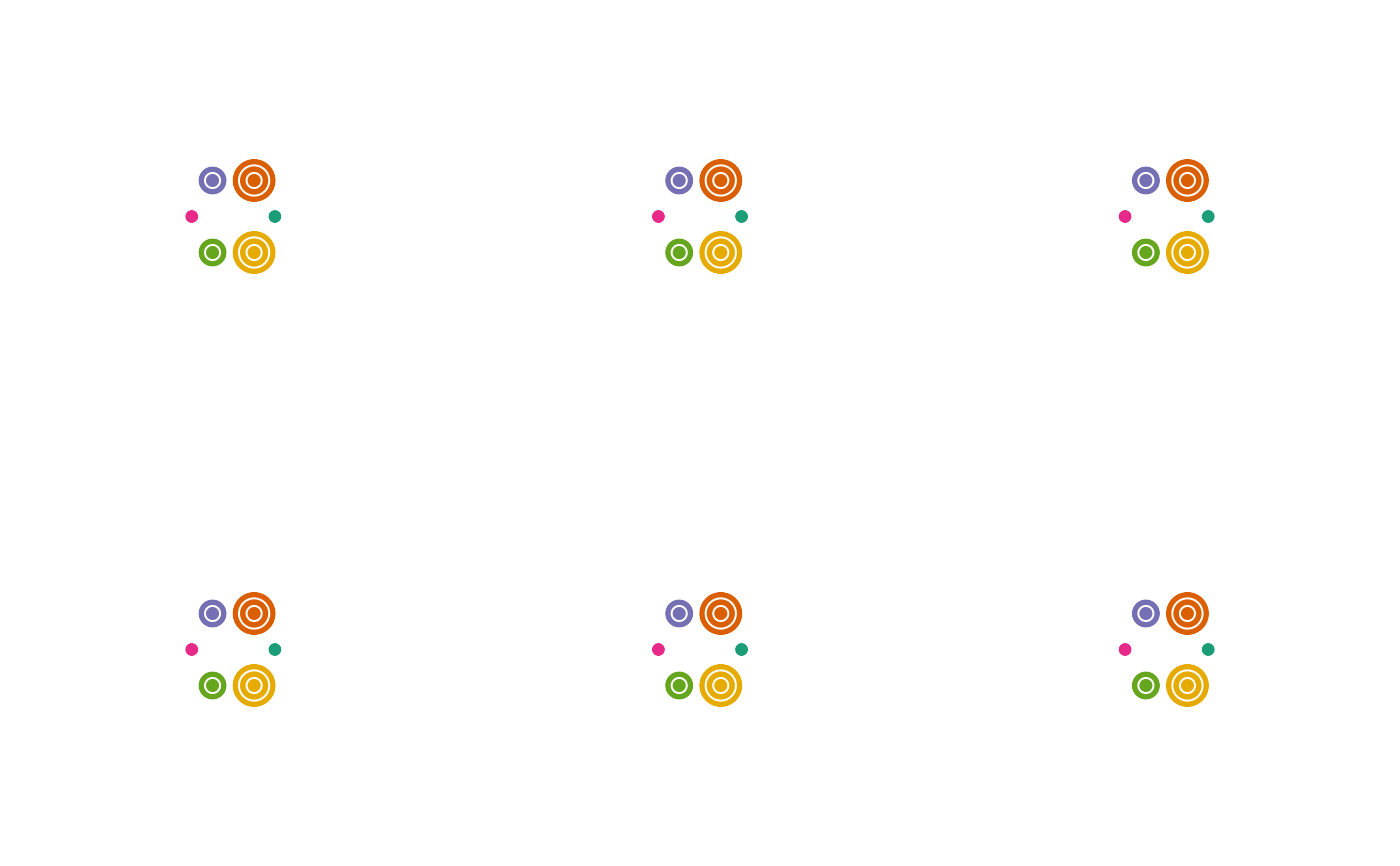
Uses Grid graphics to draw a bubble glyph.
Usage
bubbleglyphGrob(
  x = 0.5,
  y = 0.5,
  z,
  size = 1,
  scale.radius = TRUE,
  scale.area = FALSE,
  bubble.layout = c("circle", "line", "chain", "hub", "pack", "annulus"),
  connector = c("none", "foreground", "background"),
  line.angle = 0,
  angle.start = 0,
  angle.stop = 2 * base::pi,
  col = "black",
  fill = NA,
  alpha = 1,
  lwd.connector = 1,
  col.connector = "black",
  connector.point = FALSE,
  connector.point.size = 0.01,
  col.connector.point = "black",
  preserve.zeros = TRUE,
  lwd = 1,
  linejoin = c("mitre", "round", "bevel"),
  draw.grid = FALSE,
  grid.levels = NULL,
  col.grid = "grey",
  lwd.grid = lwd,
  layout.eps = NULL
)
Arguments
- x
A numeric vector or unit object specifying x-locations.
- y
A numeric vector or unit object specifying y-locations.
- z
A numeric vector specifying the radius/area of bubbles.
- size
The size of bubbles.
- scale.radius
logical. If
TRUE, the values inzare used directly as the bubble radii.- scale.area
logical. If
TRUE, values inzare treated as bubble areas, and radii are derived as \(\sqrt{z}\), so that bubble area (rather than radius) is proportional toz.- bubble.layout
The layout algorithm used to position the bubbles. One of
"circle","line","chain","hub","pack"or"annulus"(See Layouts for more details).- connector
The style used to connect bubbles to one another. One of
"none"(no connectors are drawn),"foreground"(connectors are drawn on top of the bubbles) or"background"(connectors are drawn underneath the bubbles).- line.angle
The angle (in radians) at which bubbles are arranged when
layout = "line".- angle.start
The start angle for the bubbles in radians for
layout = "circle"andlayout = "hub". Default is zero.- angle.stop
The stop angle for the bubbles in radians for
layout = "circle"andlayout = "hub". Default is \(2\pi\).- col
The bubble outline colour.
- fill
The bubble fill colour.
- alpha
The alpha transparency value.
- lwd.connector
The line width of the connectors.
- col.connector
The colour of the connectors.
- connector.point
logical. If
TRUE, a small point is drawn at the centre of each bubble where connectors meet. Default isFALSE.- connector.point.size
The size of the connector points as a fraction of native coordinates. Default is
0.01.- col.connector.point
The colour of the connector points. Default is
"black".- preserve.zeros
logical. If
TRUE, bubbles with zero values inzare still displayed with a minimum radius to ensure visibility in the layout computation. IfFALSE, zero values result in no visible bubble. Default isTRUE.- lwd
The bubble outline line width.
- linejoin
The line join style for the tile polygon. Either
"mitre","round"or"bevel".- draw.grid
logical. If
TRUE, grid levels are plotted as nested circles within each bubble. Default isFALSE.- grid.levels
A list of grid levels (as vectors) corresponding to the values in
zat which the nested circles are to be plotted. The values inzshould be present in the list specified.- col.grid
The colour of the grid circles.
- lwd.grid
The line width of the grid circles.
- layout.eps
A small numerical tolerance value used in layout computations to avoid numerical instability. If
NULL(default), a value is automatically computed based on the largest bubble radius.
Value
A gTree object.
Layouts
The following layouts are available.
"circle"Bubbles are arranged around the circumference of an invisible circle, evenly spaced by angle between
angle.startandangle.stop. The radius of this invisible circle is derived from the bubble radii (the largest bubble radius plus the mean bubble radius, with a small buffer added) so that bubbles do not overlap regardless of their individual sizes. This is the default layout."line"Bubbles are arranged side by side along a straight line passing through the glyph centre, each bubble touching its neighbours. The line may be rotated to any orientation using the
line.angleargument (in radians)."chain"Bubbles are linked together in a meandering tangent chain. Each new bubble is placed tangent to its immediate predecessor, alternating between opposite sides of the chain to produce a distinctive zig-zag arrangement. Where necessary, the placement is adjusted to minimise overlap with previously placed bubbles while preserving the ordering of the data.
"hub"One bubble (the one with the largest radius) is treated as a central "hub", and all other bubbles are placed around it, each touching the hub bubble, at angles spaced between
angle.startandangle.stop. This is a quick, deterministic layout: because the surrounding bubbles are not tested against one another for overlap, bubbles can overlap when several of them are large relative to the hub."pack"Bubbles are arranged using a circle-packing algorithm (
circleProgressiveLayout), which places bubbles as close together as possible without any overlap (Collins and Stephenson 2003; Wang et al. 2006; Bedward et al. 2024) . This produces the most compact, space-efficient arrangement of the available layouts, at the cost of the arrangement having no inherent order or direction (bubbles are not ordered along an axis or around a hub)."annulus"Bubbles are arranged, in the order supplied, around the circumference of a ring (annulus), with each bubble touching its immediate neighbours on either side (the last bubble touching the first, closing the ring). The radius of the ring is solved numerically so that all adjacent bubbles are mutually tangent.
References
Bedward M, Eppstein D, Menzel P (2024).
“packcircles: Circle Packing. R package version 0.3.7.”
Collins CR, Stephenson K (2003).
“A circle packing algorithm.”
Computational Geometry, 25(3), 233–256.
Wang W, Wang H, Dai G, Wang H (2006).
“Visualization of large hierarchical data by circle packing.”
In Proceedings of the SIGCHI Conference on Human Factors in Computing Systems, 517–520.
ISBN 978-1-59593-372-0.
Examples
library(ggmultiglyph)
library(grid)
library(gridExtra)
#~~~~~~~~~~~~~~~~~~~~~~~~~~~~~~~~~~~~~~~~~~~~~~~~~~~~~~~~~~~~~~~~~~~~~~~~~~~~
# Adjust layout algorithm
#~~~~~~~~~~~~~~~~~~~~~~~~~~~~~~~~~~~~~~~~~~~~~~~~~~~~~~~~~~~~~~~~~~~~~~~~~~~~
bg1 <- bubbleglyphGrob(x = unit(0.5, "npc"), y = unit(0.5, "npc"),
z <- c(0.5, 0.8, 1.2, 0.6, 1, 0.7),
size = 5,
layout = "circle")
bg2 <- bubbleglyphGrob(x = unit(0.5, "npc"), y = unit(0.5, "npc"),
z <- c(0.5, 0.8, 1.2, 0.6, 1, 0.7),
size = 5,
layout = "line")
bg3 <- bubbleglyphGrob(x = unit(0.5, "npc"), y = unit(0.5, "npc"),
z <- c(0.5, 0.8, 1.2, 0.6, 1, 0.7),
size = 5,
layout = "chain")
bg4 <- bubbleglyphGrob(x = unit(0.5, "npc"), y = unit(0.5, "npc"),
z <- c(0.5, 0.8, 1.2, 0.6, 1, 0.7),
size = 5,
layout = "hub")
bg5 <- bubbleglyphGrob(x = unit(0.5, "npc"), y = unit(0.5, "npc"),
z <- c(0.5, 0.8, 1.2, 0.6, 1, 0.7),
size = 5,
layout = "annulus")
bg6 <- bubbleglyphGrob(x = unit(0.5, "npc"), y = unit(0.5, "npc"),
z <- c(0.5, 0.8, 1.2, 0.6, 1, 0.7),
size = 5,
layout = "pack")
grid.arrange(bg1, bg2, bg3, bg4, bg5, bg6, nrow = 2)
 #~~~~~~~~~~~~~~~~~~~~~~~~~~~~~~~~~~~~~~~~~~~~~~~~~~~~~~~~~~~~~~~~~~~~~~~~~~~~
# Add connectors to layout algorithms
#~~~~~~~~~~~~~~~~~~~~~~~~~~~~~~~~~~~~~~~~~~~~~~~~~~~~~~~~~~~~~~~~~~~~~~~~~~~~
bg1 <- bubbleglyphGrob(x = unit(0.5, "npc"), y = unit(0.5, "npc"),
z <- c(0.5, 0.8, 1.2, 0.6, 1, 0.7),
size = 5, connector = "foreground",
layout = "circle")
bg2 <- bubbleglyphGrob(x = unit(0.5, "npc"), y = unit(0.5, "npc"),
z <- c(0.5, 0.8, 1.2, 0.6, 1, 0.7),
size = 5, connector = "foreground",
layout = "line")
bg3 <- bubbleglyphGrob(x = unit(0.5, "npc"), y = unit(0.5, "npc"),
z <- c(0.5, 0.8, 1.2, 0.6, 1, 0.7),
size = 5, connector = "foreground",
layout = "chain")
bg4 <- bubbleglyphGrob(x = unit(0.5, "npc"), y = unit(0.5, "npc"),
z <- c(0.5, 0.8, 1.2, 0.6, 1, 0.7),
size = 5, connector = "foreground",
layout = "hub")
bg5 <- bubbleglyphGrob(x = unit(0.5, "npc"), y = unit(0.5, "npc"),
z <- c(0.5, 0.8, 1.2, 0.6, 1, 0.7),
size = 5, connector = "foreground",
layout = "annulus")
bg6 <- bubbleglyphGrob(x = unit(0.5, "npc"), y = unit(0.5, "npc"),
z <- c(0.5, 0.8, 1.2, 0.6, 1, 0.7),
size = 5, connector = "foreground",
layout = "pack")
grid.arrange(bg1, bg2, bg3, bg4, bg5, bg6, nrow = 2)
#~~~~~~~~~~~~~~~~~~~~~~~~~~~~~~~~~~~~~~~~~~~~~~~~~~~~~~~~~~~~~~~~~~~~~~~~~~~~
# Add connectors to layout algorithms
#~~~~~~~~~~~~~~~~~~~~~~~~~~~~~~~~~~~~~~~~~~~~~~~~~~~~~~~~~~~~~~~~~~~~~~~~~~~~
bg1 <- bubbleglyphGrob(x = unit(0.5, "npc"), y = unit(0.5, "npc"),
z <- c(0.5, 0.8, 1.2, 0.6, 1, 0.7),
size = 5, connector = "foreground",
layout = "circle")
bg2 <- bubbleglyphGrob(x = unit(0.5, "npc"), y = unit(0.5, "npc"),
z <- c(0.5, 0.8, 1.2, 0.6, 1, 0.7),
size = 5, connector = "foreground",
layout = "line")
bg3 <- bubbleglyphGrob(x = unit(0.5, "npc"), y = unit(0.5, "npc"),
z <- c(0.5, 0.8, 1.2, 0.6, 1, 0.7),
size = 5, connector = "foreground",
layout = "chain")
bg4 <- bubbleglyphGrob(x = unit(0.5, "npc"), y = unit(0.5, "npc"),
z <- c(0.5, 0.8, 1.2, 0.6, 1, 0.7),
size = 5, connector = "foreground",
layout = "hub")
bg5 <- bubbleglyphGrob(x = unit(0.5, "npc"), y = unit(0.5, "npc"),
z <- c(0.5, 0.8, 1.2, 0.6, 1, 0.7),
size = 5, connector = "foreground",
layout = "annulus")
bg6 <- bubbleglyphGrob(x = unit(0.5, "npc"), y = unit(0.5, "npc"),
z <- c(0.5, 0.8, 1.2, 0.6, 1, 0.7),
size = 5, connector = "foreground",
layout = "pack")
grid.arrange(bg1, bg2, bg3, bg4, bg5, bg6, nrow = 2)
 #~~~~~~~~~~~~~~~~~~~~~~~~~~~~~~~~~~~~~~~~~~~~~~~~~~~~~~~~~~~~~~~~~~~~~~~~~~~~
# Adjust connector layer position
#~~~~~~~~~~~~~~~~~~~~~~~~~~~~~~~~~~~~~~~~~~~~~~~~~~~~~~~~~~~~~~~~~~~~~~~~~~~~
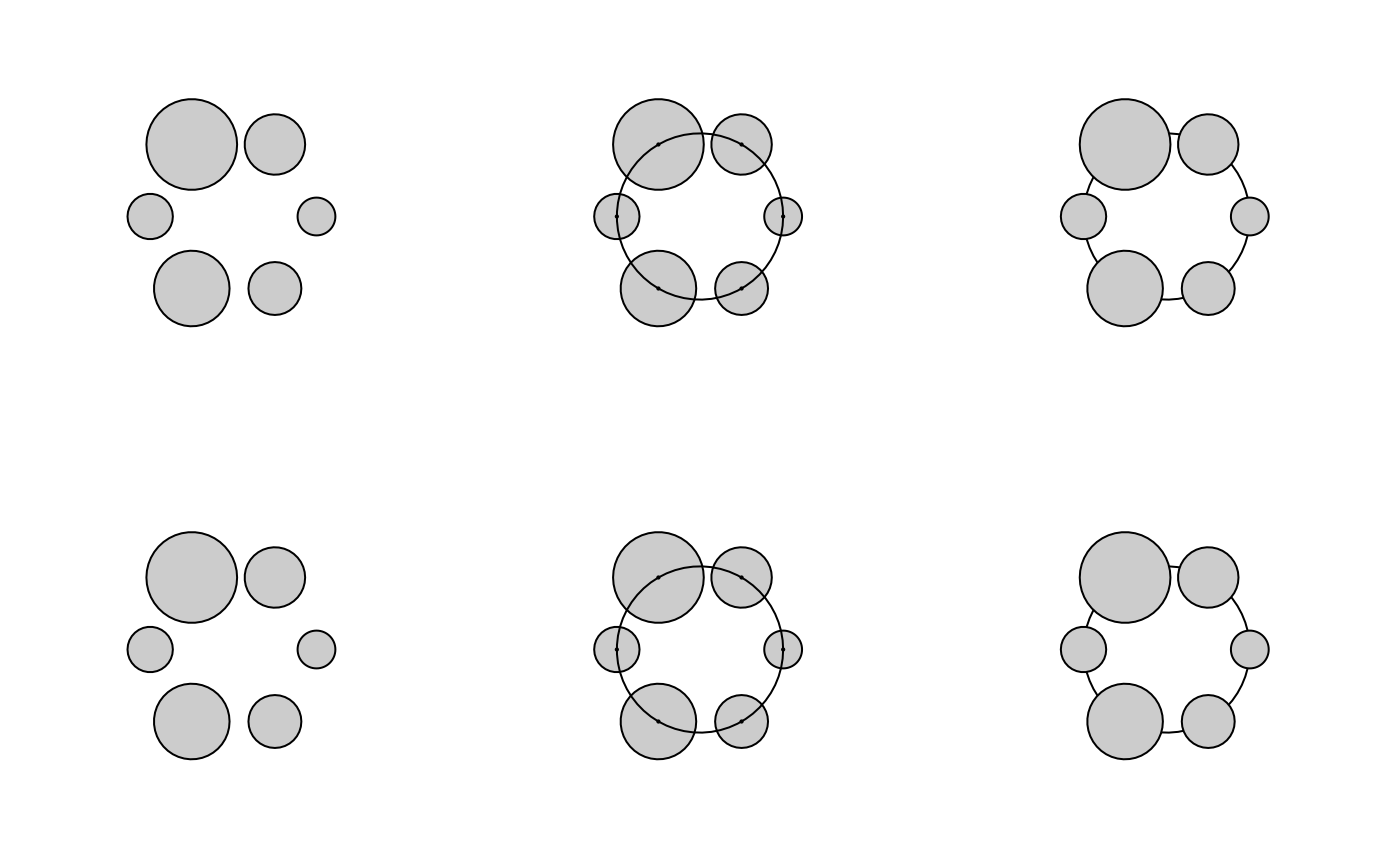
bg1 <- bubbleglyphGrob(x = unit(0.5, "npc"), y = unit(0.5, "npc"),
z <- c(0.5, 0.8, 1.2, 0.6, 1, 0.7),
size = 5,
layout = "circle", fill = "gray80")
bg2 <- bubbleglyphGrob(x = unit(0.5, "npc"), y = unit(0.5, "npc"),
z <- c(0.5, 0.8, 1.2, 0.6, 1, 0.7),
size = 5, connector = "foreground",
layout = "circle", fill = "gray80")
bg3 <- bubbleglyphGrob(x = unit(0.5, "npc"), y = unit(0.5, "npc"),
z <- c(0.5, 0.8, 1.2, 0.6, 1, 0.7),
size = 5, connector = "background",
layout = "circle", fill = "gray80")
bg4 <- bubbleglyphGrob(x = unit(0.5, "npc"), y = unit(0.5, "npc"),
z <- c(0.5, 0.8, 1.2, 0.6, 1, 0.7),
size = 5,
layout = "hub", fill = "gray80")
bg5 <- bubbleglyphGrob(x = unit(0.5, "npc"), y = unit(0.5, "npc"),
z <- c(0.5, 0.8, 1.2, 0.6, 1, 0.7),
size = 5, connector = "foreground",
layout = "hub", fill = "gray80")
bg6 <- bubbleglyphGrob(x = unit(0.5, "npc"), y = unit(0.5, "npc"),
z <- c(0.5, 0.8, 1.2, 0.6, 1, 0.7),
size = 5, connector = "background",
layout = "hub", fill = "gray80")
grid.arrange(bg1, bg2, bg3, bg4, bg5, bg6, nrow = 2)
#~~~~~~~~~~~~~~~~~~~~~~~~~~~~~~~~~~~~~~~~~~~~~~~~~~~~~~~~~~~~~~~~~~~~~~~~~~~~
# Adjust connector layer position
#~~~~~~~~~~~~~~~~~~~~~~~~~~~~~~~~~~~~~~~~~~~~~~~~~~~~~~~~~~~~~~~~~~~~~~~~~~~~
bg1 <- bubbleglyphGrob(x = unit(0.5, "npc"), y = unit(0.5, "npc"),
z <- c(0.5, 0.8, 1.2, 0.6, 1, 0.7),
size = 5,
layout = "circle", fill = "gray80")
bg2 <- bubbleglyphGrob(x = unit(0.5, "npc"), y = unit(0.5, "npc"),
z <- c(0.5, 0.8, 1.2, 0.6, 1, 0.7),
size = 5, connector = "foreground",
layout = "circle", fill = "gray80")
bg3 <- bubbleglyphGrob(x = unit(0.5, "npc"), y = unit(0.5, "npc"),
z <- c(0.5, 0.8, 1.2, 0.6, 1, 0.7),
size = 5, connector = "background",
layout = "circle", fill = "gray80")
bg4 <- bubbleglyphGrob(x = unit(0.5, "npc"), y = unit(0.5, "npc"),
z <- c(0.5, 0.8, 1.2, 0.6, 1, 0.7),
size = 5,
layout = "hub", fill = "gray80")
bg5 <- bubbleglyphGrob(x = unit(0.5, "npc"), y = unit(0.5, "npc"),
z <- c(0.5, 0.8, 1.2, 0.6, 1, 0.7),
size = 5, connector = "foreground",
layout = "hub", fill = "gray80")
bg6 <- bubbleglyphGrob(x = unit(0.5, "npc"), y = unit(0.5, "npc"),
z <- c(0.5, 0.8, 1.2, 0.6, 1, 0.7),
size = 5, connector = "background",
layout = "hub", fill = "gray80")
grid.arrange(bg1, bg2, bg3, bg4, bg5, bg6, nrow = 2)
 #~~~~~~~~~~~~~~~~~~~~~~~~~~~~~~~~~~~~~~~~~~~~~~~~~~~~~~~~~~~~~~~~~~~~~~~~~~~~
# Adjust line width
#~~~~~~~~~~~~~~~~~~~~~~~~~~~~~~~~~~~~~~~~~~~~~~~~~~~~~~~~~~~~~~~~~~~~~~~~~~~~
bg1 <- bubbleglyphGrob(x = unit(0.5, "npc"), y = unit(0.5, "npc"),
z <- c(0.5, 0.8, 1.2, 0.6, 1, 0.7),
size = 5,
layout = "circle")
bg2 <- bubbleglyphGrob(x = unit(0.5, "npc"), y = unit(0.5, "npc"),
z <- c(0.5, 0.8, 1.2, 0.6, 1, 0.7),
size = 5,
layout = "circle", lwd = 3)
bg3 <- bubbleglyphGrob(x = unit(0.5, "npc"), y = unit(0.5, "npc"),
z <- c(0.5, 0.8, 1.2, 0.6, 1, 0.7),
size = 5,
layout = "circle", lwd = 5)
bg4 <- bubbleglyphGrob(x = unit(0.5, "npc"), y = unit(0.5, "npc"),
z <- c(0.5, 0.8, 1.2, 0.6, 1, 0.7),
size = 5, connector = "foreground",
layout = "circle")
bg5 <- bubbleglyphGrob(x = unit(0.5, "npc"), y = unit(0.5, "npc"),
z <- c(0.5, 0.8, 1.2, 0.6, 1, 0.7),
size = 5, connector = "foreground",
layout = "circle", lwd.connector = 3)
bg6 <- bubbleglyphGrob(x = unit(0.5, "npc"), y = unit(0.5, "npc"),
z <- c(0.5, 0.8, 1.2, 0.6, 1, 0.7),
size = 5, connector = "foreground",
layout = "circle", lwd.connector = 5)
grid.arrange(bg1, bg2, bg3, bg4, bg5, bg6, nrow = 2)
#~~~~~~~~~~~~~~~~~~~~~~~~~~~~~~~~~~~~~~~~~~~~~~~~~~~~~~~~~~~~~~~~~~~~~~~~~~~~
# Adjust line width
#~~~~~~~~~~~~~~~~~~~~~~~~~~~~~~~~~~~~~~~~~~~~~~~~~~~~~~~~~~~~~~~~~~~~~~~~~~~~
bg1 <- bubbleglyphGrob(x = unit(0.5, "npc"), y = unit(0.5, "npc"),
z <- c(0.5, 0.8, 1.2, 0.6, 1, 0.7),
size = 5,
layout = "circle")
bg2 <- bubbleglyphGrob(x = unit(0.5, "npc"), y = unit(0.5, "npc"),
z <- c(0.5, 0.8, 1.2, 0.6, 1, 0.7),
size = 5,
layout = "circle", lwd = 3)
bg3 <- bubbleglyphGrob(x = unit(0.5, "npc"), y = unit(0.5, "npc"),
z <- c(0.5, 0.8, 1.2, 0.6, 1, 0.7),
size = 5,
layout = "circle", lwd = 5)
bg4 <- bubbleglyphGrob(x = unit(0.5, "npc"), y = unit(0.5, "npc"),
z <- c(0.5, 0.8, 1.2, 0.6, 1, 0.7),
size = 5, connector = "foreground",
layout = "circle")
bg5 <- bubbleglyphGrob(x = unit(0.5, "npc"), y = unit(0.5, "npc"),
z <- c(0.5, 0.8, 1.2, 0.6, 1, 0.7),
size = 5, connector = "foreground",
layout = "circle", lwd.connector = 3)
bg6 <- bubbleglyphGrob(x = unit(0.5, "npc"), y = unit(0.5, "npc"),
z <- c(0.5, 0.8, 1.2, 0.6, 1, 0.7),
size = 5, connector = "foreground",
layout = "circle", lwd.connector = 5)
grid.arrange(bg1, bg2, bg3, bg4, bg5, bg6, nrow = 2)
 #~~~~~~~~~~~~~~~~~~~~~~~~~~~~~~~~~~~~~~~~~~~~~~~~~~~~~~~~~~~~~~~~~~~~~~~~~~~~
# Adjust line join style
#~~~~~~~~~~~~~~~~~~~~~~~~~~~~~~~~~~~~~~~~~~~~~~~~~~~~~~~~~~~~~~~~~~~~~~~~~~~~
bg1 <- bubbleglyphGrob(x = unit(0.5, "npc"), y = unit(0.5, "npc"),
z <- c(0.5, 0.8, 1.2, 0.6, 1, 0.7),
size = 5, connector = "foreground",
layout = "chain",
lwd.connector = 10)
bg2 <- bubbleglyphGrob(x = unit(0.5, "npc"), y = unit(0.5, "npc"),
z <- c(0.5, 0.8, 1.2, 0.6, 1, 0.7),
size = 5, connector = "foreground",
layout = "chain",
lwd.connector = 10, linejoin = "bevel")
bg3 <- bubbleglyphGrob(x = unit(0.5, "npc"), y = unit(0.5, "npc"),
z <- c(0.5, 0.8, 1.2, 0.6, 1, 0.7),
size = 5, connector = "foreground",
layout = "chain",
lwd.connector = 10, linejoin = "round")
bg4 <- bubbleglyphGrob(x = unit(0.5, "npc"), y = unit(0.5, "npc"),
z <- c(0.5, 0.8, 1.2, 0.6, 1, 0.7),
size = 5, connector = "foreground",
layout = "hub",
lwd.connector = 10)
bg5 <- bubbleglyphGrob(x = unit(0.5, "npc"), y = unit(0.5, "npc"),
z <- c(0.5, 0.8, 1.2, 0.6, 1, 0.7),
size = 5, connector = "foreground",
layout = "hub",
lwd.connector = 10, linejoin = "bevel")
bg6 <- bubbleglyphGrob(x = unit(0.5, "npc"), y = unit(0.5, "npc"),
z <- c(0.5, 0.8, 1.2, 0.6, 1, 0.7),
size = 5, connector = "foreground",
layout = "hub",
lwd.connector = 10, linejoin = "round")
grid.arrange(bg1, bg2, bg3, bg4, bg5, bg6, nrow = 2)
#~~~~~~~~~~~~~~~~~~~~~~~~~~~~~~~~~~~~~~~~~~~~~~~~~~~~~~~~~~~~~~~~~~~~~~~~~~~~
# Adjust line join style
#~~~~~~~~~~~~~~~~~~~~~~~~~~~~~~~~~~~~~~~~~~~~~~~~~~~~~~~~~~~~~~~~~~~~~~~~~~~~
bg1 <- bubbleglyphGrob(x = unit(0.5, "npc"), y = unit(0.5, "npc"),
z <- c(0.5, 0.8, 1.2, 0.6, 1, 0.7),
size = 5, connector = "foreground",
layout = "chain",
lwd.connector = 10)
bg2 <- bubbleglyphGrob(x = unit(0.5, "npc"), y = unit(0.5, "npc"),
z <- c(0.5, 0.8, 1.2, 0.6, 1, 0.7),
size = 5, connector = "foreground",
layout = "chain",
lwd.connector = 10, linejoin = "bevel")
bg3 <- bubbleglyphGrob(x = unit(0.5, "npc"), y = unit(0.5, "npc"),
z <- c(0.5, 0.8, 1.2, 0.6, 1, 0.7),
size = 5, connector = "foreground",
layout = "chain",
lwd.connector = 10, linejoin = "round")
bg4 <- bubbleglyphGrob(x = unit(0.5, "npc"), y = unit(0.5, "npc"),
z <- c(0.5, 0.8, 1.2, 0.6, 1, 0.7),
size = 5, connector = "foreground",
layout = "hub",
lwd.connector = 10)
bg5 <- bubbleglyphGrob(x = unit(0.5, "npc"), y = unit(0.5, "npc"),
z <- c(0.5, 0.8, 1.2, 0.6, 1, 0.7),
size = 5, connector = "foreground",
layout = "hub",
lwd.connector = 10, linejoin = "bevel")
bg6 <- bubbleglyphGrob(x = unit(0.5, "npc"), y = unit(0.5, "npc"),
z <- c(0.5, 0.8, 1.2, 0.6, 1, 0.7),
size = 5, connector = "foreground",
layout = "hub",
lwd.connector = 10, linejoin = "round")
grid.arrange(bg1, bg2, bg3, bg4, bg5, bg6, nrow = 2)
 #~~~~~~~~~~~~~~~~~~~~~~~~~~~~~~~~~~~~~~~~~~~~~~~~~~~~~~~~~~~~~~~~~~~~~~~~~~~~
# Adjust angle for circle and hub layouts
#~~~~~~~~~~~~~~~~~~~~~~~~~~~~~~~~~~~~~~~~~~~~~~~~~~~~~~~~~~~~~~~~~~~~~~~~~~~~
bg1 <- bubbleglyphGrob(x = unit(0.5, "npc"), y = unit(0.5, "npc"),
z <- c(0.5, 0.8, 1.2, 0.6, 1, 0.7),
size = 5, connector = "foreground",
layout = "circle")
bg2 <- bubbleglyphGrob(x = unit(0.5, "npc"), y = unit(0.5, "npc"),
z <- c(0.5, 0.8, 1.2, 0.6, 1, 0.7),
size = 5, connector = "foreground",
layout = "circle",
angle.start = 2 * base::pi, angle.stop = 0)
bg3 <- bubbleglyphGrob(x = unit(0.5, "npc"), y = unit(0.5, "npc"),
z <- c(0.5, 0.8, 1.2, 0.6, 1, 0.7),
size = 5, connector = "foreground",
layout = "circle",
angle.start = 90 * (base::pi/180),
angle.stop = 450 * (base::pi/180))
bg4 <- bubbleglyphGrob(x = unit(0.5, "npc"), y = unit(0.5, "npc"),
z <- c(0.5, 0.8, 1.2, 0.6, 1, 0.7),
size = 5, connector = "foreground",
layout = "hub")
bg5 <- bubbleglyphGrob(x = unit(0.5, "npc"), y = unit(0.5, "npc"),
z <- c(0.5, 0.8, 1.2, 0.6, 1, 0.7),
size = 5, connector = "foreground",
layout = "hub",
angle.start = 2 * base::pi, angle.stop = 0)
bg6 <- bubbleglyphGrob(x = unit(0.5, "npc"), y = unit(0.5, "npc"),
z <- c(0.5, 0.8, 1.2, 0.6, 1, 0.7),
size = 5, connector = "foreground",
layout = "hub",
angle.start = 90 * (base::pi/180),
angle.stop = 450 * (base::pi/180))
grid.arrange(bg1, bg2, bg3, bg4, bg5, bg6, nrow = 2)
#~~~~~~~~~~~~~~~~~~~~~~~~~~~~~~~~~~~~~~~~~~~~~~~~~~~~~~~~~~~~~~~~~~~~~~~~~~~~
# Adjust angle for circle and hub layouts
#~~~~~~~~~~~~~~~~~~~~~~~~~~~~~~~~~~~~~~~~~~~~~~~~~~~~~~~~~~~~~~~~~~~~~~~~~~~~
bg1 <- bubbleglyphGrob(x = unit(0.5, "npc"), y = unit(0.5, "npc"),
z <- c(0.5, 0.8, 1.2, 0.6, 1, 0.7),
size = 5, connector = "foreground",
layout = "circle")
bg2 <- bubbleglyphGrob(x = unit(0.5, "npc"), y = unit(0.5, "npc"),
z <- c(0.5, 0.8, 1.2, 0.6, 1, 0.7),
size = 5, connector = "foreground",
layout = "circle",
angle.start = 2 * base::pi, angle.stop = 0)
bg3 <- bubbleglyphGrob(x = unit(0.5, "npc"), y = unit(0.5, "npc"),
z <- c(0.5, 0.8, 1.2, 0.6, 1, 0.7),
size = 5, connector = "foreground",
layout = "circle",
angle.start = 90 * (base::pi/180),
angle.stop = 450 * (base::pi/180))
bg4 <- bubbleglyphGrob(x = unit(0.5, "npc"), y = unit(0.5, "npc"),
z <- c(0.5, 0.8, 1.2, 0.6, 1, 0.7),
size = 5, connector = "foreground",
layout = "hub")
bg5 <- bubbleglyphGrob(x = unit(0.5, "npc"), y = unit(0.5, "npc"),
z <- c(0.5, 0.8, 1.2, 0.6, 1, 0.7),
size = 5, connector = "foreground",
layout = "hub",
angle.start = 2 * base::pi, angle.stop = 0)
bg6 <- bubbleglyphGrob(x = unit(0.5, "npc"), y = unit(0.5, "npc"),
z <- c(0.5, 0.8, 1.2, 0.6, 1, 0.7),
size = 5, connector = "foreground",
layout = "hub",
angle.start = 90 * (base::pi/180),
angle.stop = 450 * (base::pi/180))
grid.arrange(bg1, bg2, bg3, bg4, bg5, bg6, nrow = 2)
 #~~~~~~~~~~~~~~~~~~~~~~~~~~~~~~~~~~~~~~~~~~~~~~~~~~~~~~~~~~~~~~~~~~~~~~~~~~~~
# Adjust angle for line layout
#~~~~~~~~~~~~~~~~~~~~~~~~~~~~~~~~~~~~~~~~~~~~~~~~~~~~~~~~~~~~~~~~~~~~~~~~~~~~
bg1 <- bubbleglyphGrob(x = unit(0.5, "npc"), y = unit(0.5, "npc"),
z <- c(0.5, 0.8, 1.2, 0.6, 1, 0.7),
size = 5, connector = "foreground",
layout = "line")
bg2 <- bubbleglyphGrob(x = unit(0.5, "npc"), y = unit(0.5, "npc"),
z <- c(0.5, 0.8, 1.2, 0.6, 1, 0.7),
size = 5, connector = "foreground",
layout = "line", line.angle = base::pi/4)
bg3 <- bubbleglyphGrob(x = unit(0.5, "npc"), y = unit(0.5, "npc"),
z <- c(0.5, 0.8, 1.2, 0.6, 1, 0.7),
size = 5, connector = "foreground",
layout = "line", line.angle = base::pi/2)
grid.arrange(bg1, bg2, bg3, nrow = 1)
#~~~~~~~~~~~~~~~~~~~~~~~~~~~~~~~~~~~~~~~~~~~~~~~~~~~~~~~~~~~~~~~~~~~~~~~~~~~~
# Adjust angle for line layout
#~~~~~~~~~~~~~~~~~~~~~~~~~~~~~~~~~~~~~~~~~~~~~~~~~~~~~~~~~~~~~~~~~~~~~~~~~~~~
bg1 <- bubbleglyphGrob(x = unit(0.5, "npc"), y = unit(0.5, "npc"),
z <- c(0.5, 0.8, 1.2, 0.6, 1, 0.7),
size = 5, connector = "foreground",
layout = "line")
bg2 <- bubbleglyphGrob(x = unit(0.5, "npc"), y = unit(0.5, "npc"),
z <- c(0.5, 0.8, 1.2, 0.6, 1, 0.7),
size = 5, connector = "foreground",
layout = "line", line.angle = base::pi/4)
bg3 <- bubbleglyphGrob(x = unit(0.5, "npc"), y = unit(0.5, "npc"),
z <- c(0.5, 0.8, 1.2, 0.6, 1, 0.7),
size = 5, connector = "foreground",
layout = "line", line.angle = base::pi/2)
grid.arrange(bg1, bg2, bg3, nrow = 1)
 #~~~~~~~~~~~~~~~~~~~~~~~~~~~~~~~~~~~~~~~~~~~~~~~~~~~~~~~~~~~~~~~~~~~~~~~~~~~~
# Adjust fill colour
#~~~~~~~~~~~~~~~~~~~~~~~~~~~~~~~~~~~~~~~~~~~~~~~~~~~~~~~~~~~~~~~~~~~~~~~~~~~~
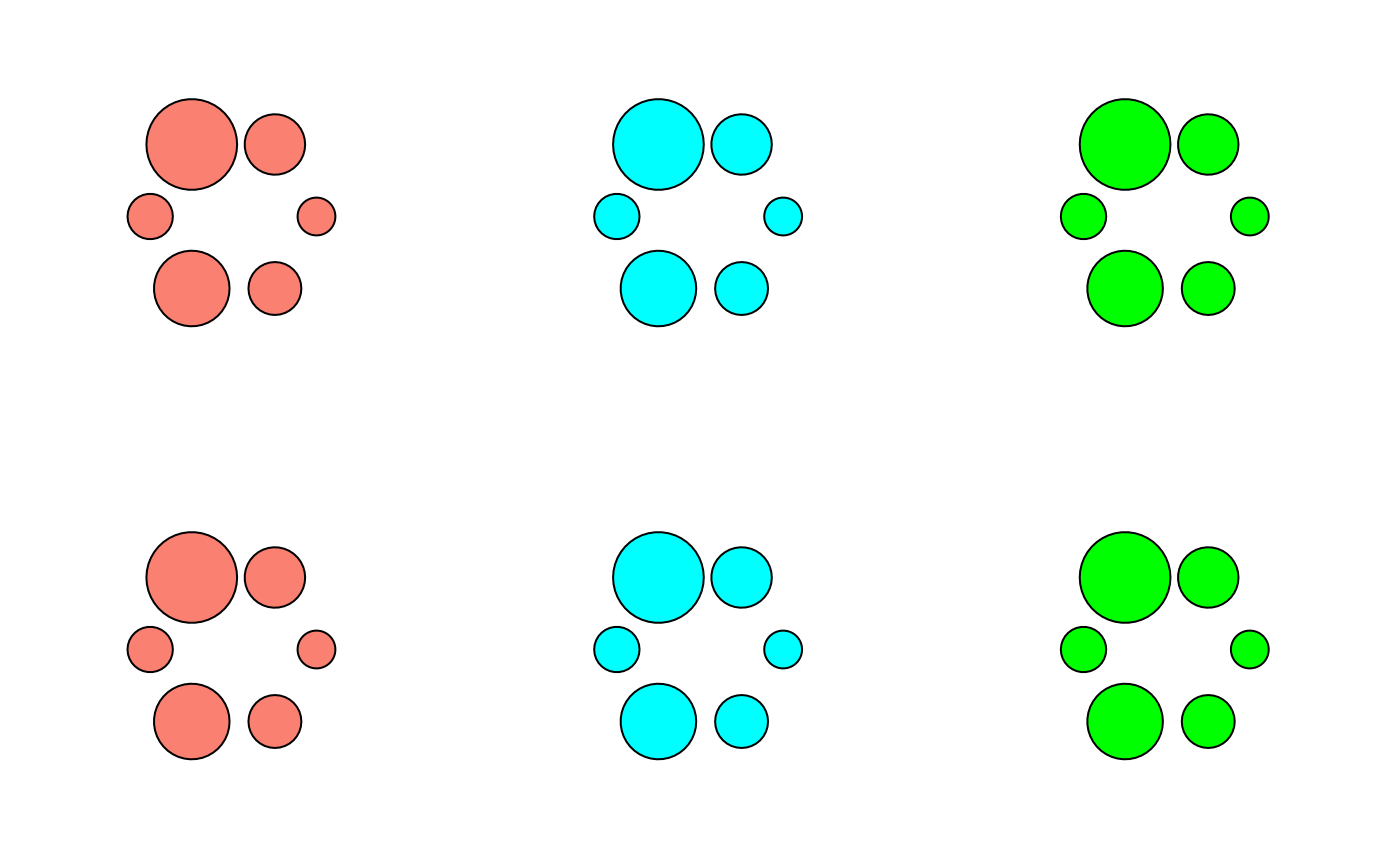
bg1 <- bubbleglyphGrob(x = unit(0.5, "npc"), y = unit(0.5, "npc"),
z <- c(0.5, 0.8, 1.2, 0.6, 1, 0.7),
size = 5, fill = "salmon",
layout = "circle")
bg2 <- bubbleglyphGrob(x = unit(0.5, "npc"), y = unit(0.5, "npc"),
z <- c(0.5, 0.8, 1.2, 0.6, 1, 0.7),
size = 5, fill = "cyan",
layout = "circle")
bg3 <- bubbleglyphGrob(x = unit(0.5, "npc"), y = unit(0.5, "npc"),
z <- c(0.5, 0.8, 1.2, 0.6, 1, 0.7),
size = 5, fill = "green",
layout = "circle")
bg4 <- bubbleglyphGrob(x = unit(0.5, "npc"), y = unit(0.5, "npc"),
z <- c(0.5, 0.8, 1.2, 0.6, 1, 0.7),
size = 5, fill = "salmon",
layout = "line")
bg5 <- bubbleglyphGrob(x = unit(0.5, "npc"), y = unit(0.5, "npc"),
z <- c(0.5, 0.8, 1.2, 0.6, 1, 0.7),
size = 5, fill = "cyan",
layout = "line")
bg6 <- bubbleglyphGrob(x = unit(0.5, "npc"), y = unit(0.5, "npc"),
z <- c(0.5, 0.8, 1.2, 0.6, 1, 0.7),
size = 5, fill = "green",
layout = "line")
grid.arrange(bg1, bg2, bg3, bg4, bg5, bg6, nrow = 2)
#~~~~~~~~~~~~~~~~~~~~~~~~~~~~~~~~~~~~~~~~~~~~~~~~~~~~~~~~~~~~~~~~~~~~~~~~~~~~
# Adjust fill colour
#~~~~~~~~~~~~~~~~~~~~~~~~~~~~~~~~~~~~~~~~~~~~~~~~~~~~~~~~~~~~~~~~~~~~~~~~~~~~
bg1 <- bubbleglyphGrob(x = unit(0.5, "npc"), y = unit(0.5, "npc"),
z <- c(0.5, 0.8, 1.2, 0.6, 1, 0.7),
size = 5, fill = "salmon",
layout = "circle")
bg2 <- bubbleglyphGrob(x = unit(0.5, "npc"), y = unit(0.5, "npc"),
z <- c(0.5, 0.8, 1.2, 0.6, 1, 0.7),
size = 5, fill = "cyan",
layout = "circle")
bg3 <- bubbleglyphGrob(x = unit(0.5, "npc"), y = unit(0.5, "npc"),
z <- c(0.5, 0.8, 1.2, 0.6, 1, 0.7),
size = 5, fill = "green",
layout = "circle")
bg4 <- bubbleglyphGrob(x = unit(0.5, "npc"), y = unit(0.5, "npc"),
z <- c(0.5, 0.8, 1.2, 0.6, 1, 0.7),
size = 5, fill = "salmon",
layout = "line")
bg5 <- bubbleglyphGrob(x = unit(0.5, "npc"), y = unit(0.5, "npc"),
z <- c(0.5, 0.8, 1.2, 0.6, 1, 0.7),
size = 5, fill = "cyan",
layout = "line")
bg6 <- bubbleglyphGrob(x = unit(0.5, "npc"), y = unit(0.5, "npc"),
z <- c(0.5, 0.8, 1.2, 0.6, 1, 0.7),
size = 5, fill = "green",
layout = "line")
grid.arrange(bg1, bg2, bg3, bg4, bg5, bg6, nrow = 2)
 #~~~~~~~~~~~~~~~~~~~~~~~~~~~~~~~~~~~~~~~~~~~~~~~~~~~~~~~~~~~~~~~~~~~~~~~~~~~~
# Adjust line colour
#~~~~~~~~~~~~~~~~~~~~~~~~~~~~~~~~~~~~~~~~~~~~~~~~~~~~~~~~~~~~~~~~~~~~~~~~~~~~
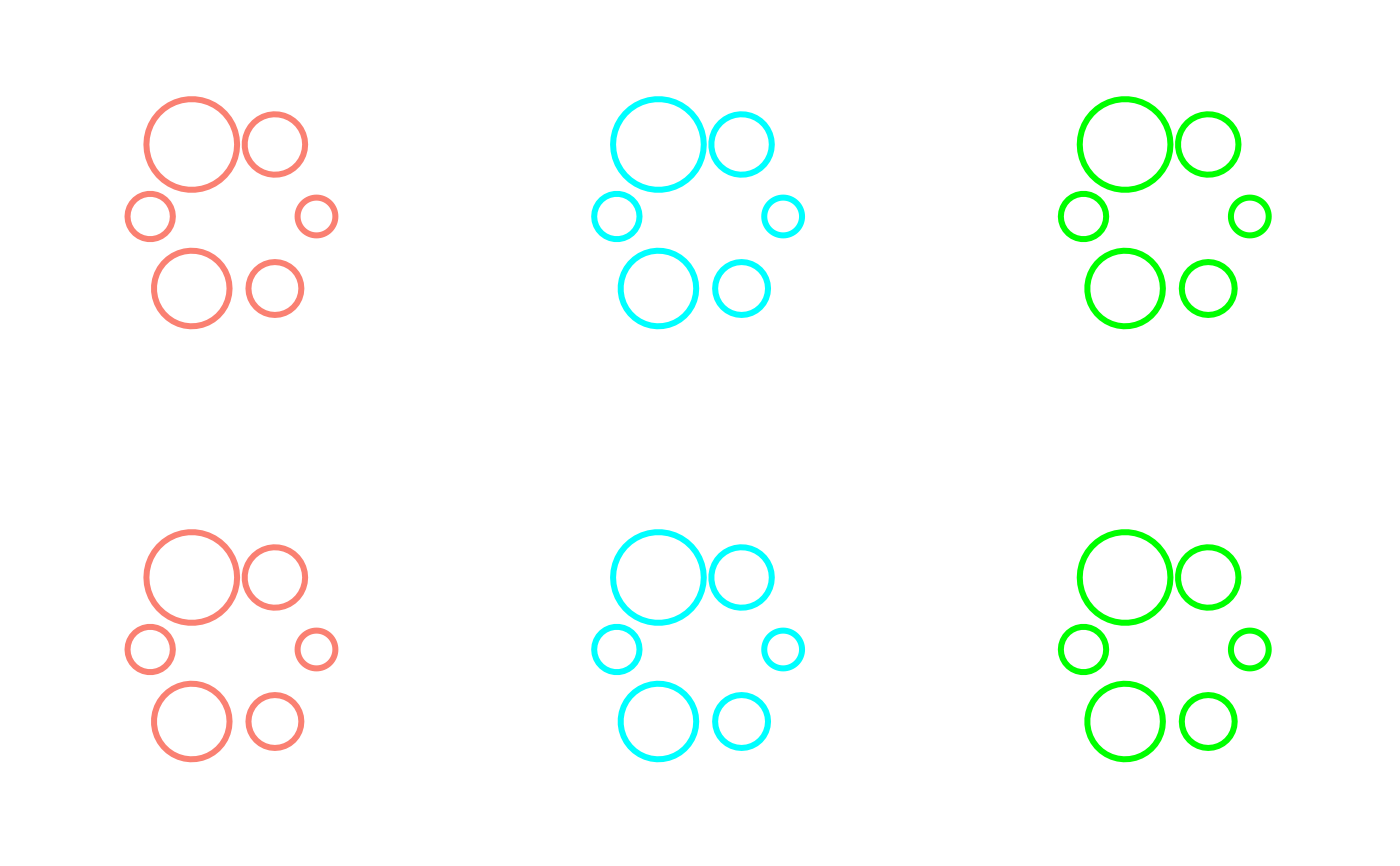
bg1 <- bubbleglyphGrob(x = unit(0.5, "npc"), y = unit(0.5, "npc"),
z <- c(0.5, 0.8, 1.2, 0.6, 1, 0.7),
size = 5, col = "salmon", lwd = 3,
layout = "circle")
bg2 <- bubbleglyphGrob(x = unit(0.5, "npc"), y = unit(0.5, "npc"),
z <- c(0.5, 0.8, 1.2, 0.6, 1, 0.7),
size = 5, col = "cyan", lwd = 3,
layout = "circle")
bg3 <- bubbleglyphGrob(x = unit(0.5, "npc"), y = unit(0.5, "npc"),
z <- c(0.5, 0.8, 1.2, 0.6, 1, 0.7),
size = 5, col = "green", lwd = 3,
layout = "circle")
bg4 <- bubbleglyphGrob(x = unit(0.5, "npc"), y = unit(0.5, "npc"),
z <- c(0.5, 0.8, 1.2, 0.6, 1, 0.7),
size = 5, col = "salmon", lwd = 3,
layout = "line")
bg5 <- bubbleglyphGrob(x = unit(0.5, "npc"), y = unit(0.5, "npc"),
z <- c(0.5, 0.8, 1.2, 0.6, 1, 0.7),
size = 5, col = "cyan", lwd = 3,
layout = "line")
bg6 <- bubbleglyphGrob(x = unit(0.5, "npc"), y = unit(0.5, "npc"),
z <- c(0.5, 0.8, 1.2, 0.6, 1, 0.7),
size = 5, col = "green", lwd = 3,
layout = "line")
grid.arrange(bg1, bg2, bg3, bg4, bg5, bg6, nrow = 2)
#~~~~~~~~~~~~~~~~~~~~~~~~~~~~~~~~~~~~~~~~~~~~~~~~~~~~~~~~~~~~~~~~~~~~~~~~~~~~
# Adjust line colour
#~~~~~~~~~~~~~~~~~~~~~~~~~~~~~~~~~~~~~~~~~~~~~~~~~~~~~~~~~~~~~~~~~~~~~~~~~~~~
bg1 <- bubbleglyphGrob(x = unit(0.5, "npc"), y = unit(0.5, "npc"),
z <- c(0.5, 0.8, 1.2, 0.6, 1, 0.7),
size = 5, col = "salmon", lwd = 3,
layout = "circle")
bg2 <- bubbleglyphGrob(x = unit(0.5, "npc"), y = unit(0.5, "npc"),
z <- c(0.5, 0.8, 1.2, 0.6, 1, 0.7),
size = 5, col = "cyan", lwd = 3,
layout = "circle")
bg3 <- bubbleglyphGrob(x = unit(0.5, "npc"), y = unit(0.5, "npc"),
z <- c(0.5, 0.8, 1.2, 0.6, 1, 0.7),
size = 5, col = "green", lwd = 3,
layout = "circle")
bg4 <- bubbleglyphGrob(x = unit(0.5, "npc"), y = unit(0.5, "npc"),
z <- c(0.5, 0.8, 1.2, 0.6, 1, 0.7),
size = 5, col = "salmon", lwd = 3,
layout = "line")
bg5 <- bubbleglyphGrob(x = unit(0.5, "npc"), y = unit(0.5, "npc"),
z <- c(0.5, 0.8, 1.2, 0.6, 1, 0.7),
size = 5, col = "cyan", lwd = 3,
layout = "line")
bg6 <- bubbleglyphGrob(x = unit(0.5, "npc"), y = unit(0.5, "npc"),
z <- c(0.5, 0.8, 1.2, 0.6, 1, 0.7),
size = 5, col = "green", lwd = 3,
layout = "line")
grid.arrange(bg1, bg2, bg3, bg4, bg5, bg6, nrow = 2)
 #~~~~~~~~~~~~~~~~~~~~~~~~~~~~~~~~~~~~~~~~~~~~~~~~~~~~~~~~~~~~~~~~~~~~~~~~~~~~
# Adjust connector colour
#~~~~~~~~~~~~~~~~~~~~~~~~~~~~~~~~~~~~~~~~~~~~~~~~~~~~~~~~~~~~~~~~~~~~~~~~~~~~
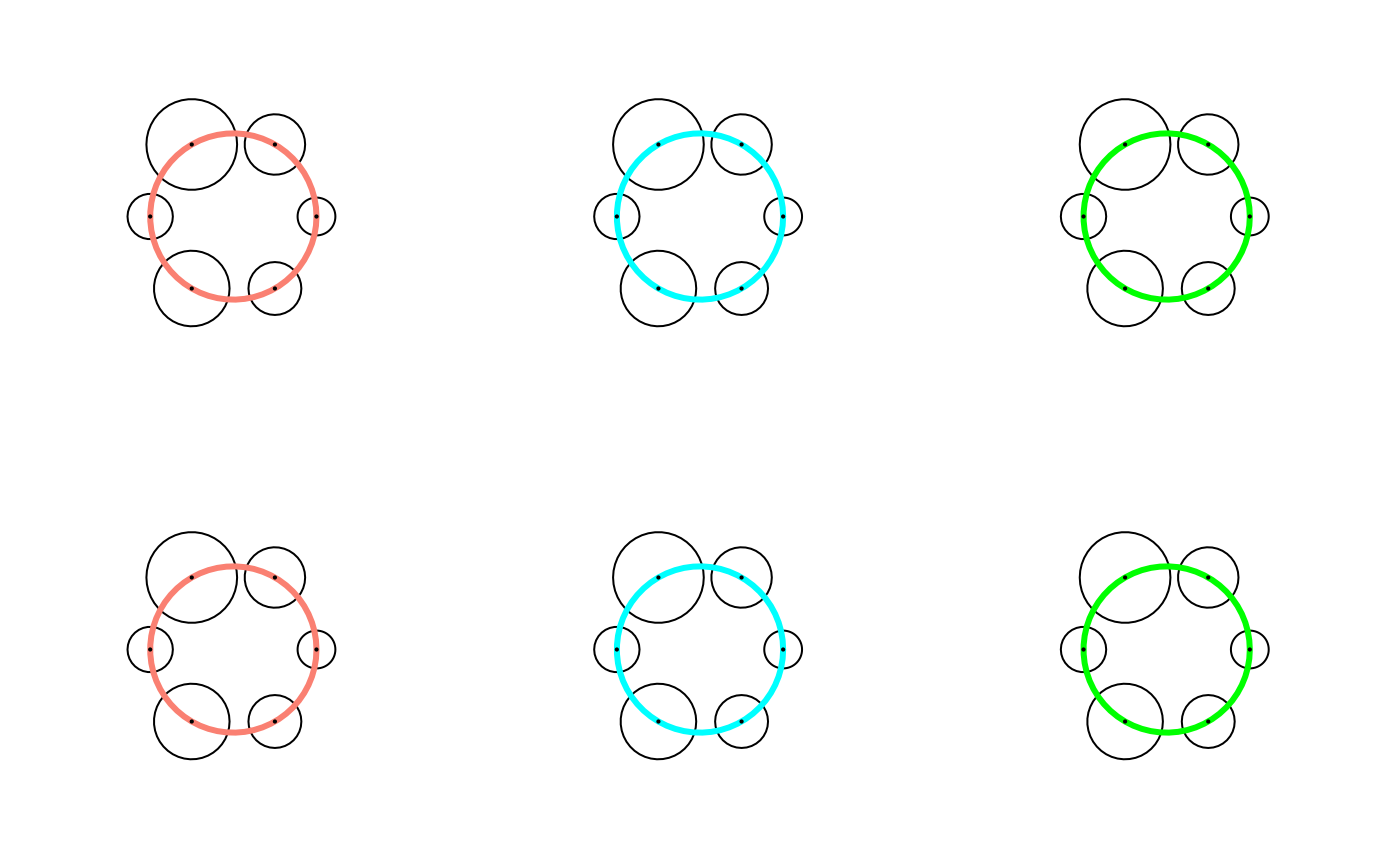
bg1 <- bubbleglyphGrob(x = unit(0.5, "npc"), y = unit(0.5, "npc"),
z <- c(0.5, 0.8, 1.2, 0.6, 1, 0.7),
size = 5, connector = "foreground",
col.connector = "salmon", lwd.connector = 3,
layout = "circle")
bg2 <- bubbleglyphGrob(x = unit(0.5, "npc"), y = unit(0.5, "npc"),
z <- c(0.5, 0.8, 1.2, 0.6, 1, 0.7),
size = 5, connector = "foreground",
col.connector = "cyan", lwd.connector = 3,
layout = "circle")
bg3 <- bubbleglyphGrob(x = unit(0.5, "npc"), y = unit(0.5, "npc"),
z <- c(0.5, 0.8, 1.2, 0.6, 1, 0.7),
size = 5, connector = "foreground",
col.connector = "green", lwd.connector = 3,
layout = "circle")
bg4 <- bubbleglyphGrob(x = unit(0.5, "npc"), y = unit(0.5, "npc"),
z <- c(0.5, 0.8, 1.2, 0.6, 1, 0.7),
size = 5, connector = "foreground",
col.connector = "salmon", lwd.connector = 3,
layout = "annulus")
bg5 <- bubbleglyphGrob(x = unit(0.5, "npc"), y = unit(0.5, "npc"),
z <- c(0.5, 0.8, 1.2, 0.6, 1, 0.7),
size = 5, connector = "foreground",
col.connector = "cyan", lwd.connector = 3,
layout = "annulus")
bg6 <- bubbleglyphGrob(x = unit(0.5, "npc"), y = unit(0.5, "npc"),
z <- c(0.5, 0.8, 1.2, 0.6, 1, 0.7),
size = 5, connector = "foreground",
col.connector = "green", lwd.connector = 3,
layout = "annulus")
grid.arrange(bg1, bg2, bg3, bg4, bg5, bg6, nrow = 2)
#~~~~~~~~~~~~~~~~~~~~~~~~~~~~~~~~~~~~~~~~~~~~~~~~~~~~~~~~~~~~~~~~~~~~~~~~~~~~
# Adjust connector colour
#~~~~~~~~~~~~~~~~~~~~~~~~~~~~~~~~~~~~~~~~~~~~~~~~~~~~~~~~~~~~~~~~~~~~~~~~~~~~
bg1 <- bubbleglyphGrob(x = unit(0.5, "npc"), y = unit(0.5, "npc"),
z <- c(0.5, 0.8, 1.2, 0.6, 1, 0.7),
size = 5, connector = "foreground",
col.connector = "salmon", lwd.connector = 3,
layout = "circle")
bg2 <- bubbleglyphGrob(x = unit(0.5, "npc"), y = unit(0.5, "npc"),
z <- c(0.5, 0.8, 1.2, 0.6, 1, 0.7),
size = 5, connector = "foreground",
col.connector = "cyan", lwd.connector = 3,
layout = "circle")
bg3 <- bubbleglyphGrob(x = unit(0.5, "npc"), y = unit(0.5, "npc"),
z <- c(0.5, 0.8, 1.2, 0.6, 1, 0.7),
size = 5, connector = "foreground",
col.connector = "green", lwd.connector = 3,
layout = "circle")
bg4 <- bubbleglyphGrob(x = unit(0.5, "npc"), y = unit(0.5, "npc"),
z <- c(0.5, 0.8, 1.2, 0.6, 1, 0.7),
size = 5, connector = "foreground",
col.connector = "salmon", lwd.connector = 3,
layout = "annulus")
bg5 <- bubbleglyphGrob(x = unit(0.5, "npc"), y = unit(0.5, "npc"),
z <- c(0.5, 0.8, 1.2, 0.6, 1, 0.7),
size = 5, connector = "foreground",
col.connector = "cyan", lwd.connector = 3,
layout = "annulus")
bg6 <- bubbleglyphGrob(x = unit(0.5, "npc"), y = unit(0.5, "npc"),
z <- c(0.5, 0.8, 1.2, 0.6, 1, 0.7),
size = 5, connector = "foreground",
col.connector = "green", lwd.connector = 3,
layout = "annulus")
grid.arrange(bg1, bg2, bg3, bg4, bg5, bg6, nrow = 2)
 #~~~~~~~~~~~~~~~~~~~~~~~~~~~~~~~~~~~~~~~~~~~~~~~~~~~~~~~~~~~~~~~~~~~~~~~~~~~~
# Multivariate bubble fill and colour
#~~~~~~~~~~~~~~~~~~~~~~~~~~~~~~~~~~~~~~~~~~~~~~~~~~~~~~~~~~~~~~~~~~~~~~~~~~~~
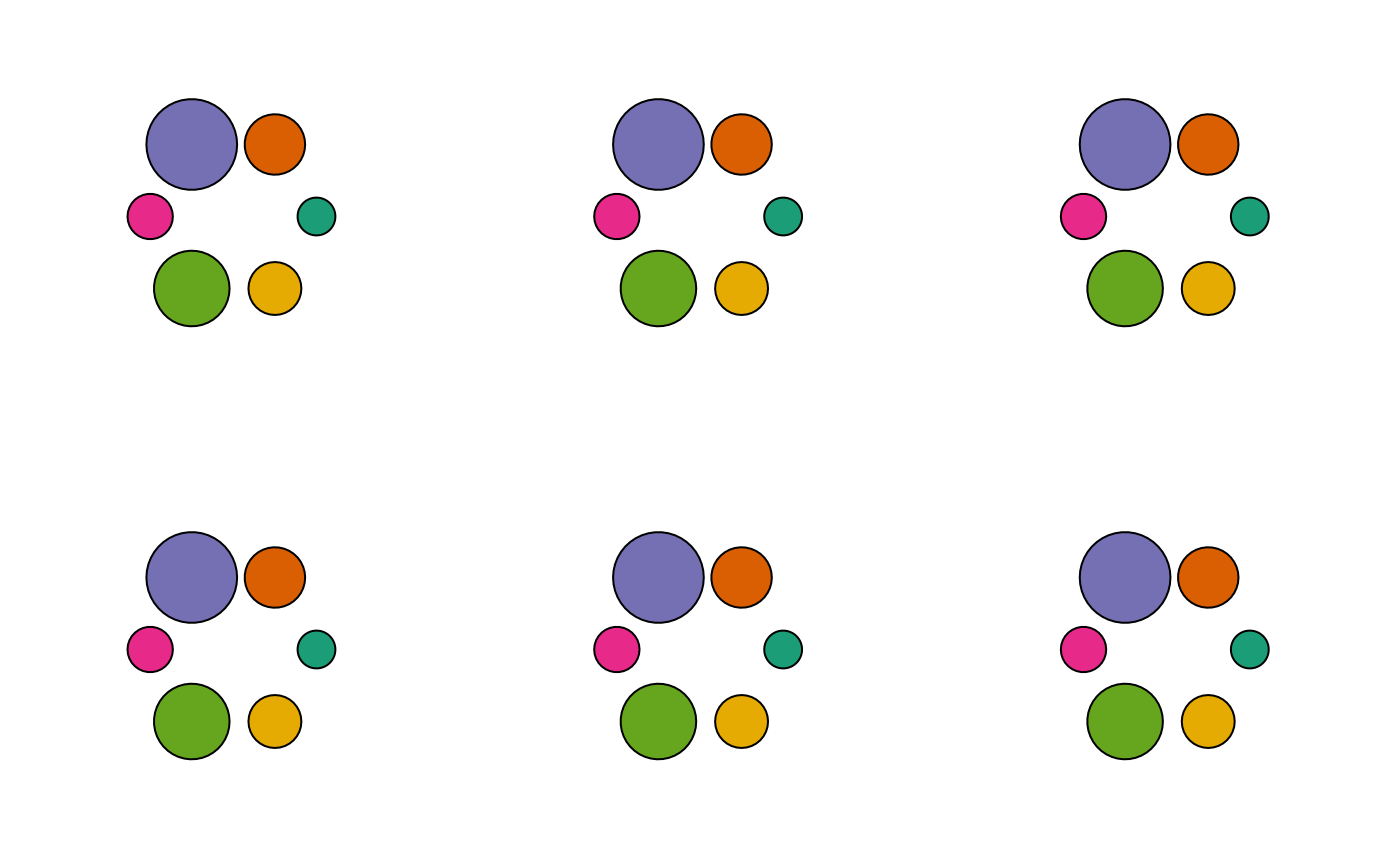
bg1 <- bubbleglyphGrob(x = unit(0.5, "npc"), y = unit(0.5, "npc"),
z <- c(0.5, 0.8, 1.2, 0.6, 1, 0.7),
size = 5,
fill = RColorBrewer::brewer.pal(6, "Dark2"),
layout = "circle")
bg2 <- bubbleglyphGrob(x = unit(0.5, "npc"), y = unit(0.5, "npc"),
z <- c(0.5, 0.8, 1.2, 0.6, 1, 0.7),
size = 5,
fill = RColorBrewer::brewer.pal(6, "Dark2"),
layout = "line")
bg3 <- bubbleglyphGrob(x = unit(0.5, "npc"), y = unit(0.5, "npc"),
z <- c(0.5, 0.8, 1.2, 0.6, 1, 0.7),
size = 5,
fill = RColorBrewer::brewer.pal(6, "Dark2"),
layout = "chain")
bg4 <- bubbleglyphGrob(x = unit(0.5, "npc"), y = unit(0.5, "npc"),
z <- c(0.5, 0.8, 1.2, 0.6, 1, 0.7),
size = 5,
fill = RColorBrewer::brewer.pal(6, "Dark2"),
layout = "hub")
bg5 <- bubbleglyphGrob(x = unit(0.5, "npc"), y = unit(0.5, "npc"),
z <- c(0.5, 0.8, 1.2, 0.6, 1, 0.7),
size = 5,
fill = RColorBrewer::brewer.pal(6, "Dark2"),
layout = "annulus")
bg6 <- bubbleglyphGrob(x = unit(0.5, "npc"), y = unit(0.5, "npc"),
z <- c(0.5, 0.8, 1.2, 0.6, 1, 0.7),
size = 5,
fill = RColorBrewer::brewer.pal(6, "Dark2"),
layout = "pack")
grid.arrange(bg1, bg2, bg3, bg4, bg5, bg6, nrow = 2)
#~~~~~~~~~~~~~~~~~~~~~~~~~~~~~~~~~~~~~~~~~~~~~~~~~~~~~~~~~~~~~~~~~~~~~~~~~~~~
# Multivariate bubble fill and colour
#~~~~~~~~~~~~~~~~~~~~~~~~~~~~~~~~~~~~~~~~~~~~~~~~~~~~~~~~~~~~~~~~~~~~~~~~~~~~
bg1 <- bubbleglyphGrob(x = unit(0.5, "npc"), y = unit(0.5, "npc"),
z <- c(0.5, 0.8, 1.2, 0.6, 1, 0.7),
size = 5,
fill = RColorBrewer::brewer.pal(6, "Dark2"),
layout = "circle")
bg2 <- bubbleglyphGrob(x = unit(0.5, "npc"), y = unit(0.5, "npc"),
z <- c(0.5, 0.8, 1.2, 0.6, 1, 0.7),
size = 5,
fill = RColorBrewer::brewer.pal(6, "Dark2"),
layout = "line")
bg3 <- bubbleglyphGrob(x = unit(0.5, "npc"), y = unit(0.5, "npc"),
z <- c(0.5, 0.8, 1.2, 0.6, 1, 0.7),
size = 5,
fill = RColorBrewer::brewer.pal(6, "Dark2"),
layout = "chain")
bg4 <- bubbleglyphGrob(x = unit(0.5, "npc"), y = unit(0.5, "npc"),
z <- c(0.5, 0.8, 1.2, 0.6, 1, 0.7),
size = 5,
fill = RColorBrewer::brewer.pal(6, "Dark2"),
layout = "hub")
bg5 <- bubbleglyphGrob(x = unit(0.5, "npc"), y = unit(0.5, "npc"),
z <- c(0.5, 0.8, 1.2, 0.6, 1, 0.7),
size = 5,
fill = RColorBrewer::brewer.pal(6, "Dark2"),
layout = "annulus")
bg6 <- bubbleglyphGrob(x = unit(0.5, "npc"), y = unit(0.5, "npc"),
z <- c(0.5, 0.8, 1.2, 0.6, 1, 0.7),
size = 5,
fill = RColorBrewer::brewer.pal(6, "Dark2"),
layout = "pack")
grid.arrange(bg1, bg2, bg3, bg4, bg5, bg6, nrow = 2)
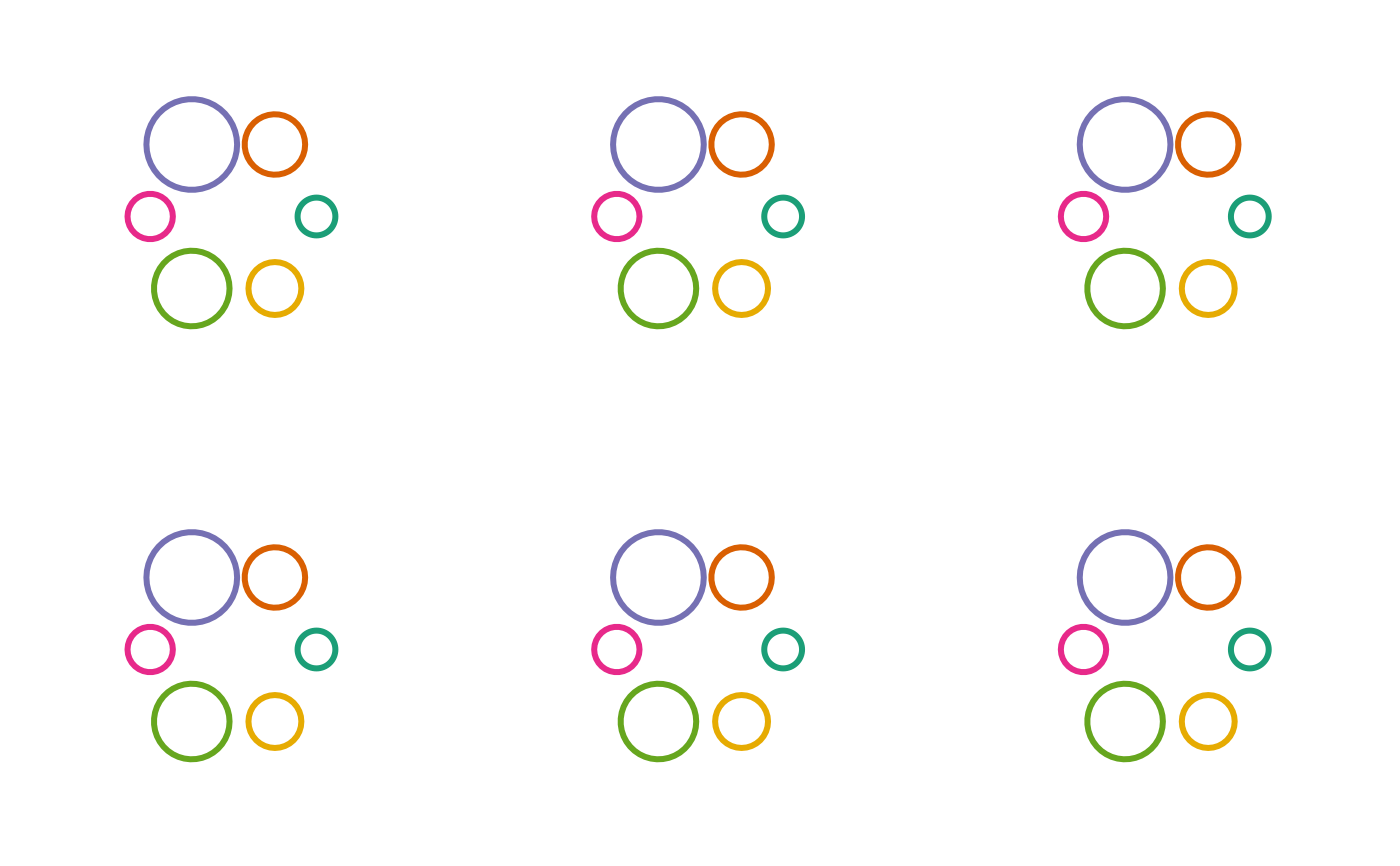
 bg1 <- bubbleglyphGrob(x = unit(0.5, "npc"), y = unit(0.5, "npc"),
z <- c(0.5, 0.8, 1.2, 0.6, 1, 0.7),
size = 5, lwd = 3,
col = RColorBrewer::brewer.pal(6, "Dark2"),
layout = "circle")
bg2 <- bubbleglyphGrob(x = unit(0.5, "npc"), y = unit(0.5, "npc"),
z <- c(0.5, 0.8, 1.2, 0.6, 1, 0.7),
size = 5, lwd = 3,
col = RColorBrewer::brewer.pal(6, "Dark2"),
layout = "line")
bg3 <- bubbleglyphGrob(x = unit(0.5, "npc"), y = unit(0.5, "npc"),
z <- c(0.5, 0.8, 1.2, 0.6, 1, 0.7),
size = 5, lwd = 3,
col = RColorBrewer::brewer.pal(6, "Dark2"),
layout = "chain")
bg4 <- bubbleglyphGrob(x = unit(0.5, "npc"), y = unit(0.5, "npc"),
z <- c(0.5, 0.8, 1.2, 0.6, 1, 0.7),
size = 5, lwd = 3,
col = RColorBrewer::brewer.pal(6, "Dark2"),
layout = "hub")
bg5 <- bubbleglyphGrob(x = unit(0.5, "npc"), y = unit(0.5, "npc"),
z <- c(0.5, 0.8, 1.2, 0.6, 1, 0.7),
size = 5, lwd = 3,
col = RColorBrewer::brewer.pal(6, "Dark2"),
layout = "annulus")
bg6 <- bubbleglyphGrob(x = unit(0.5, "npc"), y = unit(0.5, "npc"),
z <- c(0.5, 0.8, 1.2, 0.6, 1, 0.7),
size = 5, lwd = 3,
col = RColorBrewer::brewer.pal(6, "Dark2"),
layout = "pack")
grid.arrange(bg1, bg2, bg3, bg4, bg5, bg6, nrow = 2)
bg1 <- bubbleglyphGrob(x = unit(0.5, "npc"), y = unit(0.5, "npc"),
z <- c(0.5, 0.8, 1.2, 0.6, 1, 0.7),
size = 5, lwd = 3,
col = RColorBrewer::brewer.pal(6, "Dark2"),
layout = "circle")
bg2 <- bubbleglyphGrob(x = unit(0.5, "npc"), y = unit(0.5, "npc"),
z <- c(0.5, 0.8, 1.2, 0.6, 1, 0.7),
size = 5, lwd = 3,
col = RColorBrewer::brewer.pal(6, "Dark2"),
layout = "line")
bg3 <- bubbleglyphGrob(x = unit(0.5, "npc"), y = unit(0.5, "npc"),
z <- c(0.5, 0.8, 1.2, 0.6, 1, 0.7),
size = 5, lwd = 3,
col = RColorBrewer::brewer.pal(6, "Dark2"),
layout = "chain")
bg4 <- bubbleglyphGrob(x = unit(0.5, "npc"), y = unit(0.5, "npc"),
z <- c(0.5, 0.8, 1.2, 0.6, 1, 0.7),
size = 5, lwd = 3,
col = RColorBrewer::brewer.pal(6, "Dark2"),
layout = "hub")
bg5 <- bubbleglyphGrob(x = unit(0.5, "npc"), y = unit(0.5, "npc"),
z <- c(0.5, 0.8, 1.2, 0.6, 1, 0.7),
size = 5, lwd = 3,
col = RColorBrewer::brewer.pal(6, "Dark2"),
layout = "annulus")
bg6 <- bubbleglyphGrob(x = unit(0.5, "npc"), y = unit(0.5, "npc"),
z <- c(0.5, 0.8, 1.2, 0.6, 1, 0.7),
size = 5, lwd = 3,
col = RColorBrewer::brewer.pal(6, "Dark2"),
layout = "pack")
grid.arrange(bg1, bg2, bg3, bg4, bg5, bg6, nrow = 2)
 #~~~~~~~~~~~~~~~~~~~~~~~~~~~~~~~~~~~~~~~~~~~~~~~~~~~~~~~~~~~~~~~~~~~~~~~~~~~~
# Adjust grid levels
#~~~~~~~~~~~~~~~~~~~~~~~~~~~~~~~~~~~~~~~~~~~~~~~~~~~~~~~~~~~~~~~~~~~~~~~~~~~~
gl <- split(x = c(rep(c(1, 2, 3), 4),
rep(c(1, 2, 3, 4), 2)),
f = c(rep(1:4, each = 3),
rep(5:6, each = 4)))
gl
#> $`1`
#> [1] 1 2 3
#>
#> $`2`
#> [1] 1 2 3
#>
#> $`3`
#> [1] 1 2 3
#>
#> $`4`
#> [1] 1 2 3
#>
#> $`5`
#> [1] 1 2 3 4
#>
#> $`6`
#> [1] 1 2 3 4
#>
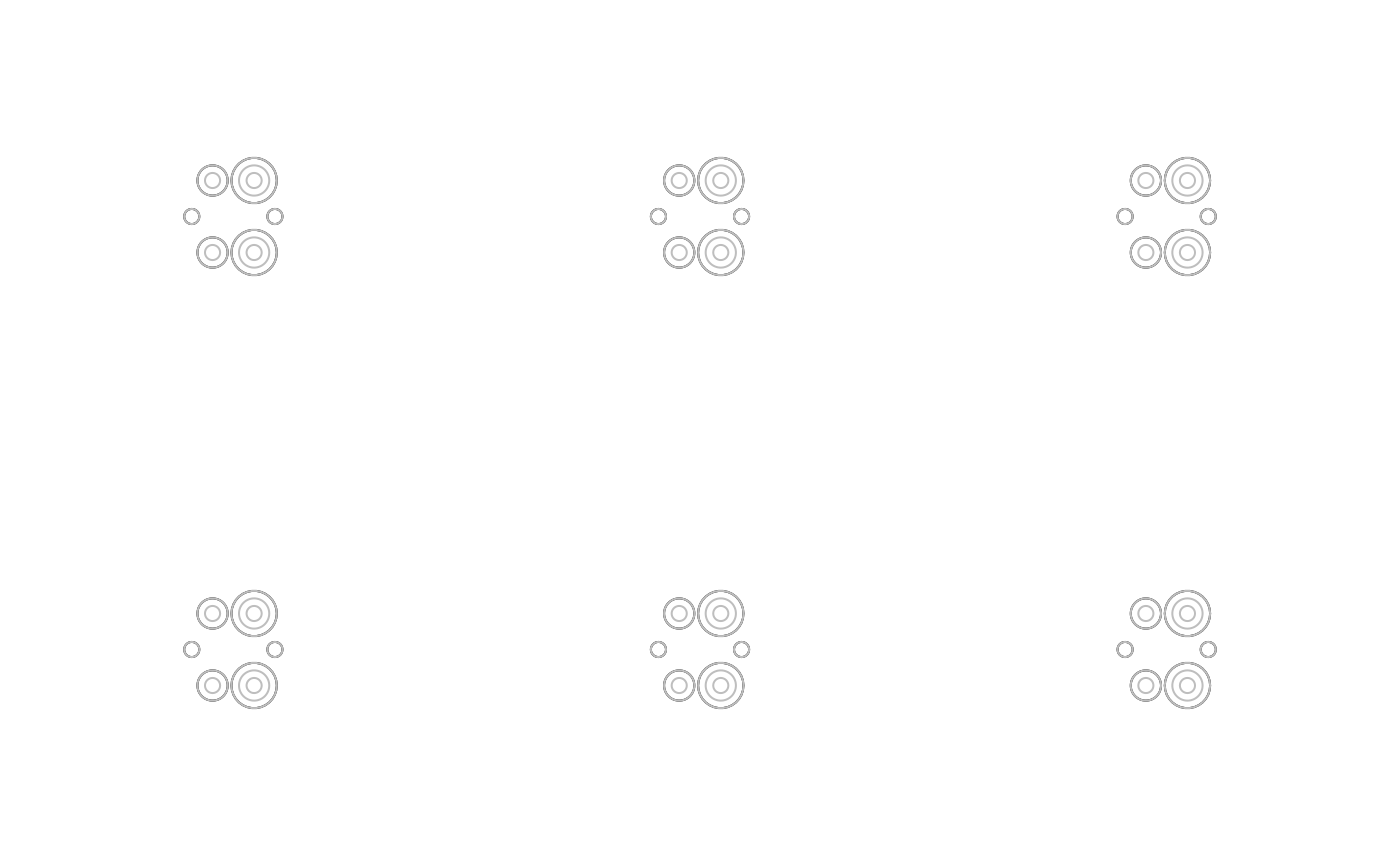
bg1 <- bubbleglyphGrob(x = unit(0.5, "npc"), y = unit(0.5, "npc"),
z = c(1, 3, 2, 1, 2, 3),
size = 1,
layout = "circle",
draw.grid = TRUE, grid.levels = gl)
bg2 <- bubbleglyphGrob(x = unit(0.5, "npc"), y = unit(0.5, "npc"),
z = c(1, 3, 2, 1, 2, 3),
size = 1,
layout = "line",
draw.grid = TRUE, grid.levels = gl)
bg3 <- bubbleglyphGrob(x = unit(0.5, "npc"), y = unit(0.5, "npc"),
z = c(1, 3, 2, 1, 2, 3),
size = 1,
layout = "chain",
draw.grid = TRUE, grid.levels = gl)
bg4 <- bubbleglyphGrob(x = unit(0.5, "npc"), y = unit(0.5, "npc"),
z = c(1, 3, 2, 1, 2, 3),
size = 1,
layout = "hub",
draw.grid = TRUE, grid.levels = gl)
bg5 <- bubbleglyphGrob(x = unit(0.5, "npc"), y = unit(0.5, "npc"),
z = c(1, 3, 2, 1, 2, 3),
size = 1,
layout = "annulus",
draw.grid = TRUE, grid.levels = gl)
bg6 <- bubbleglyphGrob(x = unit(0.5, "npc"), y = unit(0.5, "npc"),
z = c(1, 3, 2, 1, 2, 3),
size = 1,
layout = "pack",
draw.grid = TRUE, grid.levels = gl)
grid.arrange(bg1, bg2, bg3, bg4, bg5, bg6, nrow = 2)
#~~~~~~~~~~~~~~~~~~~~~~~~~~~~~~~~~~~~~~~~~~~~~~~~~~~~~~~~~~~~~~~~~~~~~~~~~~~~
# Adjust grid levels
#~~~~~~~~~~~~~~~~~~~~~~~~~~~~~~~~~~~~~~~~~~~~~~~~~~~~~~~~~~~~~~~~~~~~~~~~~~~~
gl <- split(x = c(rep(c(1, 2, 3), 4),
rep(c(1, 2, 3, 4), 2)),
f = c(rep(1:4, each = 3),
rep(5:6, each = 4)))
gl
#> $`1`
#> [1] 1 2 3
#>
#> $`2`
#> [1] 1 2 3
#>
#> $`3`
#> [1] 1 2 3
#>
#> $`4`
#> [1] 1 2 3
#>
#> $`5`
#> [1] 1 2 3 4
#>
#> $`6`
#> [1] 1 2 3 4
#>
bg1 <- bubbleglyphGrob(x = unit(0.5, "npc"), y = unit(0.5, "npc"),
z = c(1, 3, 2, 1, 2, 3),
size = 1,
layout = "circle",
draw.grid = TRUE, grid.levels = gl)
bg2 <- bubbleglyphGrob(x = unit(0.5, "npc"), y = unit(0.5, "npc"),
z = c(1, 3, 2, 1, 2, 3),
size = 1,
layout = "line",
draw.grid = TRUE, grid.levels = gl)
bg3 <- bubbleglyphGrob(x = unit(0.5, "npc"), y = unit(0.5, "npc"),
z = c(1, 3, 2, 1, 2, 3),
size = 1,
layout = "chain",
draw.grid = TRUE, grid.levels = gl)
bg4 <- bubbleglyphGrob(x = unit(0.5, "npc"), y = unit(0.5, "npc"),
z = c(1, 3, 2, 1, 2, 3),
size = 1,
layout = "hub",
draw.grid = TRUE, grid.levels = gl)
bg5 <- bubbleglyphGrob(x = unit(0.5, "npc"), y = unit(0.5, "npc"),
z = c(1, 3, 2, 1, 2, 3),
size = 1,
layout = "annulus",
draw.grid = TRUE, grid.levels = gl)
bg6 <- bubbleglyphGrob(x = unit(0.5, "npc"), y = unit(0.5, "npc"),
z = c(1, 3, 2, 1, 2, 3),
size = 1,
layout = "pack",
draw.grid = TRUE, grid.levels = gl)
grid.arrange(bg1, bg2, bg3, bg4, bg5, bg6, nrow = 2)
 #~~~~~~~~~~~~~~~~~~~~~~~~~~~~~~~~~~~~~~~~~~~~~~~~~~~~~~~~~~~~~~~~~~~~~~~~~~~~
# Adjust grid level colours
#~~~~~~~~~~~~~~~~~~~~~~~~~~~~~~~~~~~~~~~~~~~~~~~~~~~~~~~~~~~~~~~~~~~~~~~~~~~~
gl <- split(x = c(rep(c(1, 2, 3), 4),
rep(c(1, 2, 3, 4), 2)),
f = c(rep(1:4, each = 3),
rep(5:6, each = 4)))
gl
#> $`1`
#> [1] 1 2 3
#>
#> $`2`
#> [1] 1 2 3
#>
#> $`3`
#> [1] 1 2 3
#>
#> $`4`
#> [1] 1 2 3
#>
#> $`5`
#> [1] 1 2 3 4
#>
#> $`6`
#> [1] 1 2 3 4
#>
bg1 <- bubbleglyphGrob(x = unit(0.5, "npc"), y = unit(0.5, "npc"),
z = c(1, 3, 2, 1, 2, 3),
size = 1,
layout = "circle",
draw.grid = TRUE, grid.levels = gl,
col = "white", col.grid = "white",
fill = RColorBrewer::brewer.pal(6, "Dark2"))
bg2 <- bubbleglyphGrob(x = unit(0.5, "npc"), y = unit(0.5, "npc"),
z = c(1, 3, 2, 1, 2, 3),
size = 1,
layout = "line",
draw.grid = TRUE, grid.levels = gl,
col = "white", col.grid = "white",
fill = RColorBrewer::brewer.pal(6, "Dark2"))
bg3 <- bubbleglyphGrob(x = unit(0.5, "npc"), y = unit(0.5, "npc"),
z = c(1, 3, 2, 1, 2, 3),
size = 1,
layout = "chain",
draw.grid = TRUE, grid.levels = gl,
col = "white", col.grid = "white",
fill = RColorBrewer::brewer.pal(6, "Dark2"))
bg4 <- bubbleglyphGrob(x = unit(0.5, "npc"), y = unit(0.5, "npc"),
z = c(1, 3, 2, 1, 2, 3),
size = 1,
layout = "hub",
draw.grid = TRUE, grid.levels = gl,
col = "white", col.grid = "white",
fill = RColorBrewer::brewer.pal(6, "Dark2"))
bg5 <- bubbleglyphGrob(x = unit(0.5, "npc"), y = unit(0.5, "npc"),
z = c(1, 3, 2, 1, 2, 3),
size = 1,
layout = "annulus",
draw.grid = TRUE, grid.levels = gl,
col = "white", col.grid = "white",
fill = RColorBrewer::brewer.pal(6, "Dark2"))
bg6 <- bubbleglyphGrob(x = unit(0.5, "npc"), y = unit(0.5, "npc"),
z = c(1, 3, 2, 1, 2, 3),
size = 1,
layout = "pack",
draw.grid = TRUE, grid.levels = gl,
col = "white", col.grid = "white",
fill = RColorBrewer::brewer.pal(6, "Dark2"))
grid.arrange(bg1, bg2, bg3, bg4, bg5, bg6, nrow = 2)
#~~~~~~~~~~~~~~~~~~~~~~~~~~~~~~~~~~~~~~~~~~~~~~~~~~~~~~~~~~~~~~~~~~~~~~~~~~~~
# Adjust grid level colours
#~~~~~~~~~~~~~~~~~~~~~~~~~~~~~~~~~~~~~~~~~~~~~~~~~~~~~~~~~~~~~~~~~~~~~~~~~~~~
gl <- split(x = c(rep(c(1, 2, 3), 4),
rep(c(1, 2, 3, 4), 2)),
f = c(rep(1:4, each = 3),
rep(5:6, each = 4)))
gl
#> $`1`
#> [1] 1 2 3
#>
#> $`2`
#> [1] 1 2 3
#>
#> $`3`
#> [1] 1 2 3
#>
#> $`4`
#> [1] 1 2 3
#>
#> $`5`
#> [1] 1 2 3 4
#>
#> $`6`
#> [1] 1 2 3 4
#>
bg1 <- bubbleglyphGrob(x = unit(0.5, "npc"), y = unit(0.5, "npc"),
z = c(1, 3, 2, 1, 2, 3),
size = 1,
layout = "circle",
draw.grid = TRUE, grid.levels = gl,
col = "white", col.grid = "white",
fill = RColorBrewer::brewer.pal(6, "Dark2"))
bg2 <- bubbleglyphGrob(x = unit(0.5, "npc"), y = unit(0.5, "npc"),
z = c(1, 3, 2, 1, 2, 3),
size = 1,
layout = "line",
draw.grid = TRUE, grid.levels = gl,
col = "white", col.grid = "white",
fill = RColorBrewer::brewer.pal(6, "Dark2"))
bg3 <- bubbleglyphGrob(x = unit(0.5, "npc"), y = unit(0.5, "npc"),
z = c(1, 3, 2, 1, 2, 3),
size = 1,
layout = "chain",
draw.grid = TRUE, grid.levels = gl,
col = "white", col.grid = "white",
fill = RColorBrewer::brewer.pal(6, "Dark2"))
bg4 <- bubbleglyphGrob(x = unit(0.5, "npc"), y = unit(0.5, "npc"),
z = c(1, 3, 2, 1, 2, 3),
size = 1,
layout = "hub",
draw.grid = TRUE, grid.levels = gl,
col = "white", col.grid = "white",
fill = RColorBrewer::brewer.pal(6, "Dark2"))
bg5 <- bubbleglyphGrob(x = unit(0.5, "npc"), y = unit(0.5, "npc"),
z = c(1, 3, 2, 1, 2, 3),
size = 1,
layout = "annulus",
draw.grid = TRUE, grid.levels = gl,
col = "white", col.grid = "white",
fill = RColorBrewer::brewer.pal(6, "Dark2"))
bg6 <- bubbleglyphGrob(x = unit(0.5, "npc"), y = unit(0.5, "npc"),
z = c(1, 3, 2, 1, 2, 3),
size = 1,
layout = "pack",
draw.grid = TRUE, grid.levels = gl,
col = "white", col.grid = "white",
fill = RColorBrewer::brewer.pal(6, "Dark2"))
grid.arrange(bg1, bg2, bg3, bg4, bg5, bg6, nrow = 2)